


Turning Clicks into Contracts: Website Conversion for Modern Contractors
Your contractor website gets visitors every day, but how many of those visitors become actual customers?
If you're like most contractors, the answer isn't great. Most contractor websites convert only 2-3% of visitors into leads. That means 97 out of every 100 people who land on your site leave without calling, filling out a form, or booking anything.
The good news? This isn't a traffic problem, but actually, a conversion problem. In our experience, conversion problems can be fixed with proven strategies for CRO for trades, better lead magnets, stronger trust signals, smarter UX design, and mobile-first forms. In 2026, contractors who focus on website conversion optimization canboost conversion rates to 5-11% or higher without spending an extra dollar on ads.
Table of Contents
Jump to the section you want to read most:
- Why Most Contractor Websites Struggle to Convert
- Core Principles for Turning Visitors into Leads
- How to Make Your Homepage a Lead-Generating Machine
- How to Create Service Pages That Close Deals
- How to Win with Location Pages and Capture Local Leads
- Best Design & UX That Keep Visitors Engaged Until They Convert
- Common Conversion Killers Contractor Websites Must Avoid
- How to Make It Easy for Clients to Hire You Just with CTAs
- How to Get Submissions Through Lead Magnets & Forms
- How to Not Lose Leads From Your Site
- Why Social Proof, Reviews, and Testimonials Build Trust
- Know What’s Working Through Technical Setup & Analytics
- Actionable Next Steps
- FAQs About Contractor Website Conversion
Why Most Contractor Websites Struggle to Convert
Website conversion can turn casual visitors into booked jobs, but here’s why most contractor websites hover around 2-3% conversion rates only:
Current Contractor Website Experience Challenges
The numbers tell a clear story. Industry average is 2-3%, but a good conversion rate is 5-7%. Excellent performance is 11% or higher. That gap represents thousands of dollars in lost revenue. And if you're below 5%, you have major room for improvement.
The common culprit?
- Outdated and poor website designs that look like they're from the 2000s.
- Poor mobile experiences that frustrate users on phones.
- Hidden call-to-action buttons that visitors can't find.
- Missing social proof that would build trust.
- Confusing navigation that makes people give up on your site.
There is a “Leak” Problem in Your Site
Think of your website like a bucket. Traffic flows in from Google, Facebook ads, referrals, and yard signs.
But if your bucket has holes (poor conversion), most of that traffic leaks right out. Fixing those holes means more leads from the same amount of traffic.
| Conversion Rate | Visitors per Month | Leads Generated |
|---|---|---|
| 2% (Average) | 1,000 | 20 |
| 5% (Good) | 1,000 | 50 |
| 11% (Excellent) | 1,000 | 110 |
Most contractors see a 2-5x increase in leads when they optimize for conversion. If you currently get 20 leads per month from 1,000 visitors (2% conversion), improving to 5% gets you 50 leads, 2.5x more from the same traffic.
Core Principles for Turning Visitors into Leads
For contractor sites to reach at least 5% conversion, there are three core principles that drive website conversions for contractors:
1. Know-Like-Trust Framework
Visitors need to understand your services (Know), appreciate your quality (Like), and believe you'll deliver (Trust). Every element on your site should move people through these three stages.
2. Mobile-First Priority
Over 60% of contractor website traffic comes from mobile devices. That means one-tap calling, thumb-friendly buttons, and pages that load in under 3 seconds are non-negotiable.
3. Friction Reduction
Every extra click, form field, or confusing menu item adds friction. The goal is to get visitors from landing to contact in 2-3 clicks maximum.
How to Make Your Homepage a Lead-Generating Machine
Your homepage is your money page. It's where first impressions happen and where most conversion decisions get made. Here’s how you can optimize yours:
Follow Hero Section Best Practices
Your homepage hero section needs a million-dollar headline. Something catchy, authoritative, and with promise. This kind of headline works better than vague statements.
You also need to include a sticky phone number and call-to-action button that follows users as they scroll. We also recommend putting trust elements upfront like 5-star reviews, certifications, and real team photos (never use stock images) on the homepage.
Create a Homepage Structure That Converts
If your homepage has the essential elements, conversion is possible. Here is a sample that you can follow as a proven structure after the hero section: conversion is possible. Here is a sample that you can follow as a proven structure after the hero section:
- Services overview above the fold.
- Recent projects carousel with before-and-after photos. Benefits or features of services.
- Service area map showing where you offer your services.
- Secondary CTAs for specific services.
- About Your Business.
- Reviews and testimonials.
- Final contact section with a clear CTA.
- Are these the essential elements?
Know What to Skip
Before adding more features to your website, focus on eliminating distractions that hurt conversions. For example, avoid sliders that rotate messages, as they slow down your site and confuse visitors. Skip complicated menus with too many options and always prioritize the phone number and "Get Free Quote" button over everything else.
How to Create Service Pages That Close Deals
Service pages are where you explain what you do and why someone should hire you. These pages need to follow a proven format.

Use the Problem-Solution Format

Hit the Content Sweet Spot

How to Win with Location Pages and Capture Local Leads
Location pages help you rank for local searches like "near me" and "[city]" keywords. We’ve uncovered that having a strategy for location pages is even more important with the new GEO surfacing. Here’s how to create a winning location page:
Have One Page Per City/Zip
Create dedicated pages for each city or zip code you serve or offer your services. Use headlines like "Garage Door Repair Worthington, OH" that include both the service and location to boost your local seo.
Try a Location Page Formula
- Local headline with service + city.
- Service details specific to that area.
- Google reviews from customers in that area.
- Embedded map showing your service area.
- Unique local examples or case studies.
Avoid Thin and Duplicate Content
Don't just copy-paste the same content across all location pages as thin and duplicate content can take a toll on your website. When writing a location page, always use location-specific photos, local stats, and testimonials from customers in that area.
Best Design and UX That Keep Visitors Engaged Until They Convert
Today, good design isn’t just about looking fancy anymore. Your website should help potential clients understand your services, trust your expertise, and take the next step without thinking too hard. Here’s how contractors can achieve that:
Visual Hierarchy That Guides Action
Use hero images from your best project, create process infographics that explain how you work, and show the transformation your service creates.
When you organize information visually, you naturally direct attention to what matters: your CTAs, service highlights, and contact forms. This visual flow keeps visitors moving in the right direction.
Easy to Follow Navigation Links
Once your content is visually organized, the next step is to simplify your navigation. Keep your main menu to few items, so visitors aren’t overwhelmed, and structure your pages around the three-click rule, meaning users should be able to reach any important page in three clicks or less.
Adding a search bar also helps, while breadcrumbs guide your visitors by showing where they are within your site. When navigation feels intuitive and effortless, it reduces friction and keeps potential customers engaged instead of confused.
Have Images That Convert
Alongside clear navigation, your visuals play a crucial role in building customer trust. Before-and-after sliders are incredibly powerful, as they show real job site photos and team photos.
That’s why you should always avoid generic stock images and only use authentic visuals to make your business feel real. When your images show actual work and actual people, visitors stay longer and feel confident acting on their ideas.
Aim for Pricing Transparency
Transparency is key to moving visitors from consideration to successful conversion. Showing price ranges builds trust faster than hiding pricing. Even rough ranges like "$5,000-$10,000 for typical roof replacements" help visitors self-qualify.
We’ve found that having transparent pricing signals professionalism and reduces the friction that stops leads from converting. After all, when people know what to expect, they're more likely to call.
Common Conversion Killers Contractor Websites Must Avoid
Even well-designed sites can lose leads if they make basic UX mistakes. Here are some of the most common issues that drive potential clients away:
Long Forms
More than five fields can make visitors bounce. Collect only the information you need to follow up.
Desktop-First Design
If your site doesn’t work perfectly on mobile, you’re losing half of your leads.
Tiny Fonts
People over 40 struggle to read small text. Use a minimum of 16px font size.
Missing Hours/Service Areas
Visitors need to know if you’re open and if you serve their area. If they can’t find this info quickly, they’ll leave.
No Licensing Proof
Homeowners want to verify legitimacy. This means you need to make license numbers easy to locate.
Keyword Stuffing
Writing for search engines instead of humans makes content unreadable and erodes trust.
Too Many CTAs
Offering 10 different actions confuses visitors. Stick to one or two primary actions per page.
No HTTPS
Sites without SSL certificates appear untrustworthy and rank lower in Google searches.
You can grow your contractor business by improving your website's UX. Once your website has been fixed, this can keep visitors engaged and guide them naturally toward becoming clients.
How to Make It Easy for Clients to Hire You Just with CTAs
Calls-to-action are the bridges between browsing and booking. Get these wrong and your conversion rate crashes. Here’s how to get them right:
Follow Action Button Best Practices
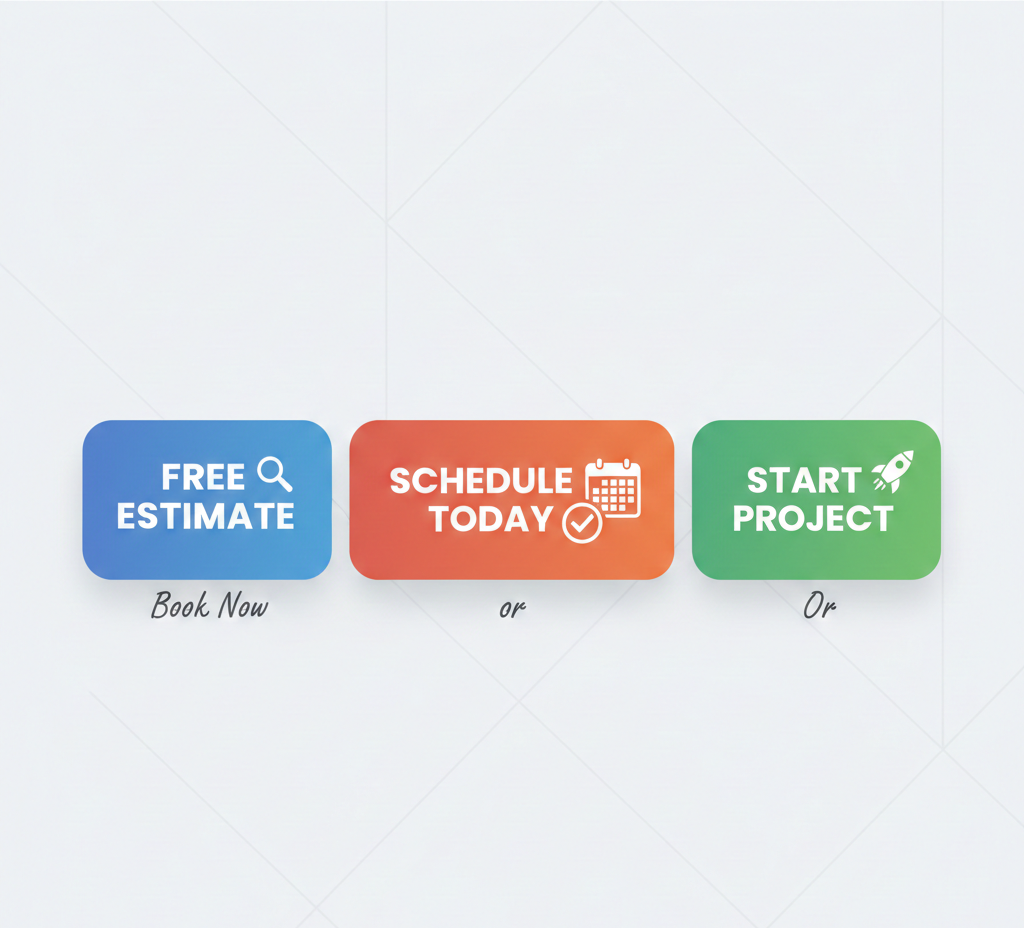
You need to use specific action language: "Free Estimate," "Book Now," "Schedule Today." Another best practice is to make buttons stand out with contrasting colors. Placing them above the fold and repeating them throughout the page is also recommended.
Have Multi-Path Contact Options
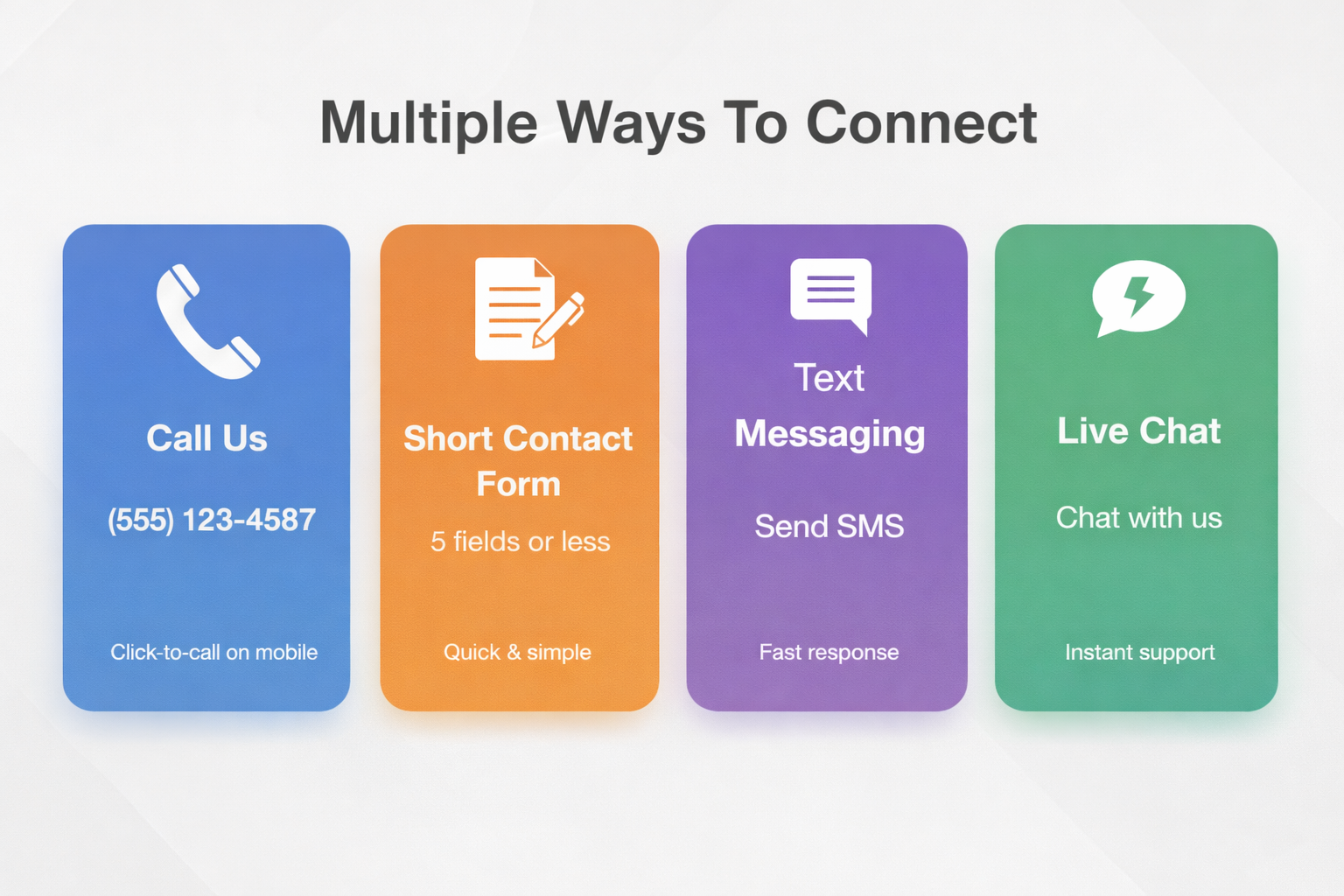
When creating CTA buttons and phrases, there are multiple ways you can offer for someone to contact you:
- Phone number (always visible, click-to-call on mobile).
- Short contact forms (5 fields or less).
- Live chat for quick questions.
- Text messaging option.
- WhatsApp if your market uses it.
Add Mobile Sticky Elements
When you design and optimize for mobile, there are sticky elements that you can add. Add a bottom contact bar that stays visible as users scroll, or include click-to-call and a form button.


Create Urgency
One strategy to successfully convert is to use urgency or scarcity on your CTAs. Phrases like "Limited Stocks" or countdown timers for special offers push fence-sitters to act now instead of later.
How to Get Submissions Through Lead Magnets and Forms
Lead magnets give visitors something valuable in exchange for their contact information. This helps you grow your email list, nurture potential customers, and turn interest into future sales.
Have 10x Lead Magnet Ideas
Your lead magnet should solve a specific problem your audience already has. Instead of generic PDFs, offer practical lead magnets could be:
- Downloadable guides and checklists
- Cost calculators
- Seasonal maintenance checklists
- How-to videos
- Project planning templates
The key is relevance and usefulness. And having a strong lead magnet positions you as a helpful expert, and not a pushy salesperson.
Follow Form Optimization Rules
Long forms kill conversions. So, keep initial forms to 5 fields or less: name, email, phone, zip code, and maybe one qualifying question. You can always ask for more details later. You can then add thank-you pages to your sequence that confirm their submission and tell visitors what happens next.
Have a Live Chat Feature
Live chat can help answer quick questions and qualify leads. But contractors, phone calls are still the best way to convert. We recommend only using chat to support your main contact methods, answering quick questions, and not fully replacing calls.
How to Not Lose Leads From Your Site
Mobile speed is no longer optional when it comes to conversions. It can be the difference between getting a lead and losing one because your site loads too slowly or doesn’t work well on a phone.
Know the Mobile Reality
As mentioned, 64% of contractor website traffic comes from mobile devices, and 53% of mobile users abandon sites that take longer than 3 seconds to load. That means slow sites lose more than half their potential lead before the page even appears.
Follow Speed Optimization Tactics
For you to have a good loading speed for your website and mobile, you may need to hire a technical person for these tasks:
- Compress all images before uploading.
- Use a CDN (content delivery network) to serve files faster.
- Test your site with Google PageSpeed Insights and fix the issues it identifies.
Use Thumb-Friendly Mobile Design
Always make sure that you follow the mobile-first web design.
- Large, tappable buttons.
- Forms to 5 fields or fewer on mobile.
- Auto-fill for name, email, and phone fields.
- Tap targets are at least 48x48 pixels, so people don't mis-tap.
Why Social Proof, Reviews, and Testimonials Build Trust
Trust signals such as having social proof, real customer reviews, and client testimonials often answer the unspoken question every visitor has: "Can I trust these people with my money and my home?" By having a review builder system, you can provide the reassurance they need to move forward. And when done right, these trust signals reduce hesitation, increase confidence, and make visitors more likely to convert.
Reviews Near Every CTA Reinforce Credibility
Displaying 5-star reviews near call-to-actions builds immediate trust and tangible proof that others have had positive experiences with your business. Visitors see that real people, not just marketing claims, have successfully used your services.
Display Licenses and Badges Signal Professionalism
Licenses, insurance badges, and certifications signal that your business is legitimate, accountable, and compliant with industry standards. Seeing these symbols demonstrates that you are professional and trustworthy.
Real Team Photos Humanize Your Brand
Photos of your actual team, trucks, and job sites build trust, too. When visitors recognize your team as real professionals, they feel more confident that your business is genuine, approachable, and capable of delivering quality work.
Videos Provide Transparency and Build Connection
A 30-second owner introduction, process walkthrough, or before-and-after project shows your expertise, credibility, and professionalism. These short videos remove the uncertainty and doubt, allowing them to see and hear the people behind the brand.
Social Proof Examples Validate Reliability
Case studies, media mentions, and guarantees provide proof that your business consistently delivers results. Sharing success stories also works psychologically to show prospects that your business is a safe and reliable decision.
Know What’s Working Through Technical Setup and Analytics
You can't improve what you don't measure. That’s why proper tracking always helps you to understand what's working and what isn't.
Not sure this is something old folks would say.
Set Up Tracking and Analytics
Start with Google Analytics and configure conversion goals for form submissions and phone calls. Use Hotjar or similar tools to see heatmaps of where people click and track form abandonment to see where people give up.


Add Schema Markup for Better Visibility
Once tracking is in place, help search engines understand your business better. To do this, add local business schema and service schema to your site. This structured data can earn you rich snippets in search results, which means more clicks.
Run A/B Tests to Find What Works
With tracking and schema handled, start testing improvements. Testing removes guesswork, and you can change one thing at a time. To test, try different headlines, button colors, or CTA copy. You can also use Google Optimize or similar tools to run tests properly.


Fix Core Web Vitals Issues
You mustn’t ignore Google’s Core Web Vitals: speed, interactivity, and visual stability. It is always important to fix issues identified in Google Search Console. This is because fast, stable sites rank and convert better, as visitors don't get frustrated waiting for pages to load. We need to bridge this with the sentence before it.
Test, Measure, and Improve Your Conversions
Conversion optimization isn't a one-time project, but rather an ongoing process that gets better with consistent attention. Here’s how you should do it:
- Track key performance indicators (KPIs).
- Run monthly audits for your website.
- Use the right tools to measure performance.
Actionable Next Steps
Ready to improve your website conversion? Here's your action plan: Tone is off with this.
- Audit Phase: Run your site through Google PageSpeed Insights to check speed. Then, review your current conversion rate in Google Analytics.
- Prioritize What to Fix: Start with mobile speed optimization. Then fix your CTAs and make sure they're visible and clear.
- Test and Iterate: Make one change per week, or track the results. Keep what works and drop what doesn't. This small, consistent improvements add up to major gains.
- Get Expert Help: If you need a professional analysis of your website's conversion potential, visit Locallogy to learn more.
Ready To Stop Losing Leads And Start Converting More Traffic Into Jobs?
Every visitor is a potential customer, and every lost conversion is money left on the table. Your next customer is already on your website, all you need to do is make sure they stay put and contact you.
Check out Locallogy today to discover how our local marketing and web design services can help your contracting business thrive in 2026 and beyond. We are a boutique digital marketing agency with over 17 years of industry-specific experience, specializing in helping contractors like you turn traffic into booked jobs.
After working with contractor businesses in roofing, HVAC, plumbing, and remodeling, we’ve seen the same conversion issues repeat across websites of all sizes. From analyzing gaps to restructuring service pages, we’ve tested what actually drives more booked jobs.
Want to see how your website is performing? Schedule a free strategy call today!
FAQs About Contractor Website Conversion
How much should I spend on contractor website conversion optimization?
A solid rule of thumb is 15-20% of your total marketing budget. If you're spending $5,000 per month on Google Ads but your website converts poorly, you're wasting money. It’s better to spend $4,000 on ads and $1,000 on conversion optimization.
Should contractor websites show pricing?
If it’s available, yes. Pricing ranges build trust faster than vagueness. You don't need exact numbers, but price ranges help visitors self-qualify and reduce tire-kickers.
How do I fix high bounce rates on contractor sites?
High bounce rates (over 60%) usually mean slow load times or confusing landing pages. You can start by improving your page speed to under 3 seconds, add a clear value proposition above the fold, make your primary CTA obvious, and remove distractions and competing actions.
If you’ve implemented these strategies and aren’t seeing the results you expected, a professional audit can uncover hidden friction points that aren’t obvious from the surface. We’re here to help! Call us at (877) 557-1310.
Get the Latest Content in Your Inbox
Want to be the first to know about new content? Sign up to get our weekly blog posts sent to your email!