


The Google Business Profile Move That Drives 520 Percent More Calls Costs You Nothing
You don't need a bigger ad budget or a new website to get more calls this month. You need photos, and almost no business has enough of them. Google Business Profile photos are the single highest-return, lowest-cost move available to a local business right now, yet most owners set up their profile once, add a logo, maybe a cover photo, and never touch it again. If that sounds like you, this post walks through exactly what to add, how often, and why it moves the numbers so much.
The Move Is Photos, and Here's Why It Works
A profile with almost no photos and a profile with a hundred of them cost the same to maintain, yet the results between them aren't close. More photos consistently bring in more calls, more clicks, and more direction requests than a sparse profile ever will.
What Do Google Business Profile Photos Actually Do for a Business?
Photos are one of the clearest signals a customer, and Google itself, uses to judge whether a business is active and worth choosing. A profile with real, current photos helps a business online stand out in a crowded set of search results. A bare profile does the opposite, and it quietly tells potential customers to keep scrolling.
How Much More Engagement Do Photos Really Drive?
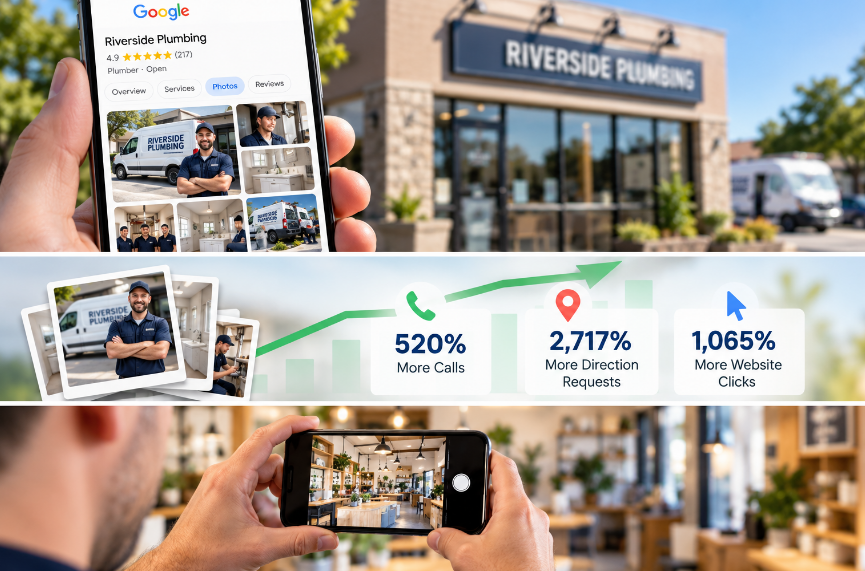
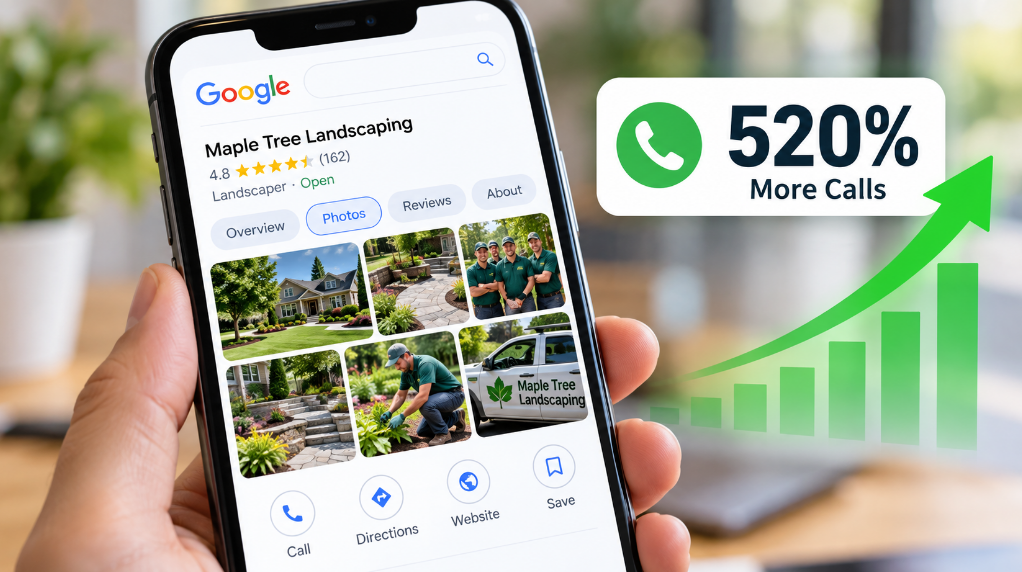
Businesses with more than 100 uploaded photos get 520% more calls than the average business, and those with just one photo get 71% fewer (BrightLocal, via Search Engine Land). That same research found 2,717% more direction requests and 1,065% more website clicks at the high end.
Even a modest photo gallery moves the needle, and Google's own data backs that up directly. Businesses with any photos at all get 42% more direction requests and 35% more website clicks than businesses with none.
Why Do So Many Business Profiles Still Look Bare?
Most business owners set up their Google Business Profile once, added the two or three photos required to launch it, and moved on. Nobody told them the photos section is a living, ongoing part of their marketing, not a one-time setup task. That's why so many profiles still show a missing logo photo, a single outdated cover photo, and nothing else, months or years after launch.
What a Complete Photo Gallery Actually Includes
A photo-rich profile isn't about volume alone. It's about covering the specific categories that customers and Google both look for, and making sure nothing important is missing.
What Is a Cover Photo, and Why Does It Matter First?
The cover photo is the first image a searcher sees on Google Search, Google Maps, and the Google Maps app on mobile. It sets the tone before anything else on your profile gets a chance to. The recommended resolution for a cover photo is 1024 by 576 pixels (16:9), and it's worth choosing carefully rather than defaulting to whatever image happens to be on hand.
What Other Photo Types Round Out a Strong Profile?
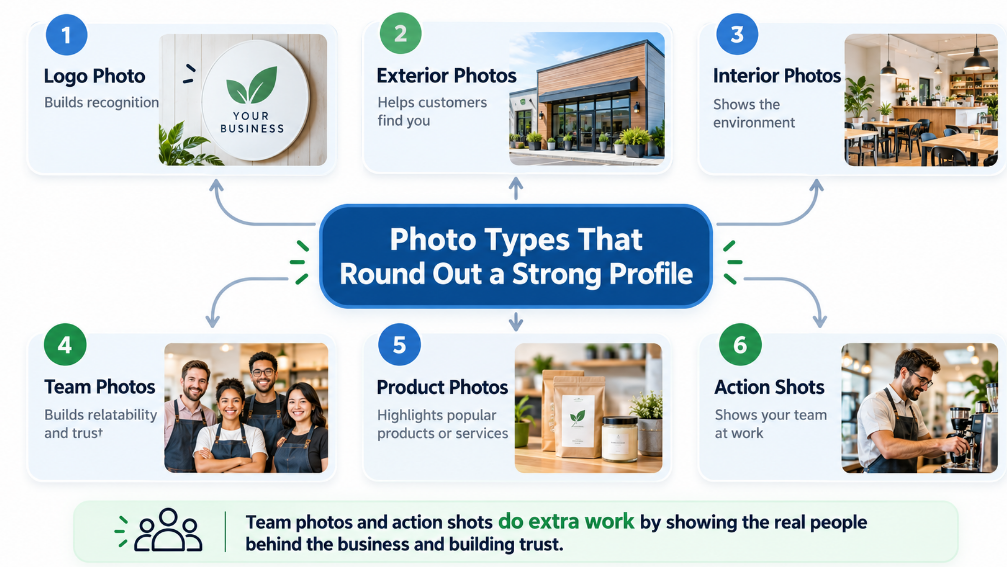
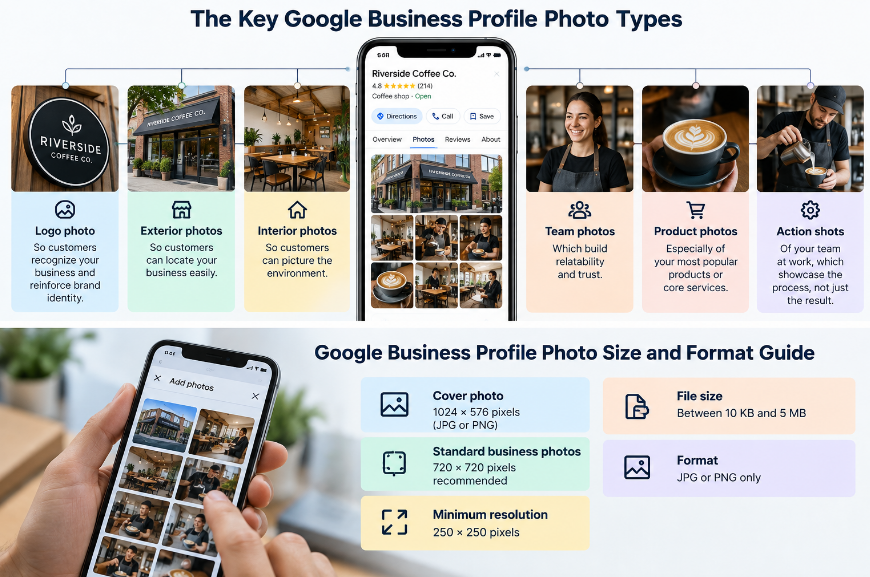
Google organizes business photos into several categories, and covering each one gives customers a fuller, more trustworthy picture of what to expect:
Logo photo, so customers recognize your business and reinforce brand identity.
Exterior photos, so customers can locate your business easily.
Interior photos, so customers can picture the environment.
Team photos, which build relatability and trust.
Product photos, especially of your most popular products or core services.
Action shots of your team at work, which showcase the process, not just the result.
Team photos and action shots in particular do more work than owners expect. Seeing real people behind a business, doing the actual work, builds trust in a way a logo alone never will, and it strengthens brand recognition every time a customer sees it again.
How Many Photos Does a Business Really Need?
You'll want to aim for at least three photos in each core category relevant to your business, not just one per category. A diverse gallery represents different aspects of what you do, rather than leaning on a single flattering image to carry the whole profile. We help clients build out exactly this kind of gallery through our GBP management service, category by category.
How to Actually Manage Your Photos and Videos
Knowing what to upload is only half the job. It also helps to know exactly where and how to do it, and what to do about the photos already sitting there.
Where Do You Add New Photos to Your Profile?
You can add photos from a computer through Google Business Profile Manager, or directly from the Google Maps app on your phone. You'll want to look for the photos section and the "Add media" option in your profile dashboard. Once there, uploading is quick, and you can bulk upload photos in a single session if you're catching up on a backlog.
What Happens When Customers Upload Their Own Photos?
Customers can also add their own customer-uploaded photos to your listing, and these carry their own kind of trust because they're unsolicited and genuine.
You can't remove someone else's upload, but you can remove photos you've uploaded yourself if an image no longer represents your business well. That's why it's important to regularly review what's live and remove anything outdated to keep the gallery accurate.
Should You Add Videos Too?
Videos are another photo type worth using alongside still images. A short video of your team completing a job or walking through a finished space adds a layer of authenticity that a single photo can't match, and it rounds out a profile that otherwise leans entirely on photos and videos of the same few angles.
Getting the Technical Details Right
Good photos still need to meet Google's technical requirements, or they risk getting flagged, rejected, or simply looking worse than they should.
What Size and Format Does Google Recommend?
Every photo type Google accepts comes with its own size and format requirement, and knowing them upfront keeps an upload from getting flagged after the fact:
Cover photo: 1024 × 576 pixels, JPG or PNG
Standard business photos: 720 × 720 pixels recommended
Minimum resolution: 250 × 250 pixels
File size: Between 10 KB and 5 MB
Format: JPG or PNG only
Falling below the recommended resolution is one of the most common, and easiest to avoid, reasons a photo looks low quality once it's live. Image size and image quality matter just as much as the subject of the photo itself.
What Makes Google Reject or Flag a Photo?
To meet Google's quality standards, a photo must be in focus, well-lit, and free of heavy edits or filters; otherwise, it risks being flagged as unrepresentative of the business. In Google's own words, the image should represent reality, and certain photos, especially ones with added text or graphics, are more likely to get flagged.
Should a Business Ever Use Stock Images?
Stock images are one of the few photo types worth skipping entirely. Google won't penalize a business for using them, but a stock photo does nothing to prove the business behind it is real, active, and exactly as advertised. Authentic, high-quality images of your actual team, space, and finished work will always attract customers more effectively than a generic substitute.
Why Fresh Photos Matter as Much as Good Ones
A great photo gallery from two years ago is still stale today, and outdated images send signals to both customers and Google, whether you intend them or not.
Does Posting Photos Regularly Affect Local Search Visibility?
Regularly adding new photos does affect local search visibility, and it's the part most businesses miss entirely. Google reads a steady stream of new images as a sign the profile behind them is active. An outdated gallery quietly suggests the opposite, even if the business behind it is thriving.
How Often Should a Business Add New Photos?
Google recommends uploading new photos weekly, though a bi-weekly cadence still works well for most businesses. The exact schedule matters less than the habit itself:
Photograph every completed job before you leave the site.
Upload a small batch weekly or every other week, rather than saving up.
Bulk upload periodically to catch up if you fall behind.
Remove or replace the oldest, weakest images as better ones come in.
For a visual business like kitchen and bath remodeling, this habit does the same job a showroom visit would. A prospect scrolling through real photos of finished kitchens gets a preview of your work before they ever pick up the phone.
Building a Photo Habit That Doesn't Go Stale
Keeping a gallery current doesn't require a professional photographer on retainer or a big new workflow. It just requires making photos part of how the work already gets done.
What's the Simplest Way to Keep a Gallery Current?
The easiest way to keep a gallery current is to build photos into the job itself: snap a few real shots as soon as the work wraps and upload them that same week, rather than saving them for later.
Over time, this single habit keeps a gallery current at no extra cost, and the calls, clicks, and direction requests that come with a photo-rich profile are hard for almost any paid tactic to match dollar for dollar.
Our team at Locallogy can also handle this for you directly, so the gallery stays current even on your busiest weeks.
How Do You Turn This Into a Weekly Habit?
Start by counting your current photos in each category, then add three real photos per category this week to fill in what's missing. Set a recurring reminder to upload new work photos every one to two weeks, and take a few minutes to remove anything outdated while you're at it.
Let Locallogy Handle Your Google Business Profile Photos
A business with a hundred photos and a business with two are separated by hundreds of percentage points in calls, clicks, and direction requests, and nothing but a few minutes stands between them. The habit is simple. Photograph the work, upload it, and keep doing that every week.
Everything else in this post is really just a guide to doing that one thing well, which raises a fair question worth asking about your own profile. Is your Google profile working as hard as it could? Request a profile audit and see exactly where your photo gallery stands today.
Sources
BrightLocal. (2018). Google My Business Insights Study. As reported by Search Engine Land.
Google. (2026). Manage photos or videos for your Business Profile. Google Business Profile Help Center.
Additional engagement figures (42% more direction requests, 35% more website clicks) are drawn from Google's own reported data, as cited across multiple industry sources including Whitespark and Publer.
Get the Latest Content in Your Inbox
Want to be the first to know about new content? Sign up to get our weekly blog posts sent to your email!